
Unofficial community client
Your Proton Drive, streaming.
A Netflix-style library for the videos in your Proton Drive and the share links people send you. Browse, press play, seek anywhere, and pick up on another device where you left off.
No server
Each app talks to Proton directly. There is nothing to host and no account with us.
Every screen
Linux, Windows, Android, Android TV and iOS, all on one Rust engine.
Secrets stay in the keyring
Links and passwords live in the system keyring, never in a config file.
Open source
MIT for the desktop app and the engine, GPL-3.0 for the mobile apps.
Features
Built for watching
What a streaming app does, on top of storage that is already end-to-end encrypted.
Streams, never downloads first
Episodes start in seconds, and dragging the seek bar fetches only the part of the file it lands on. A second viewing comes straight from the disk cache.
A library, not a folder
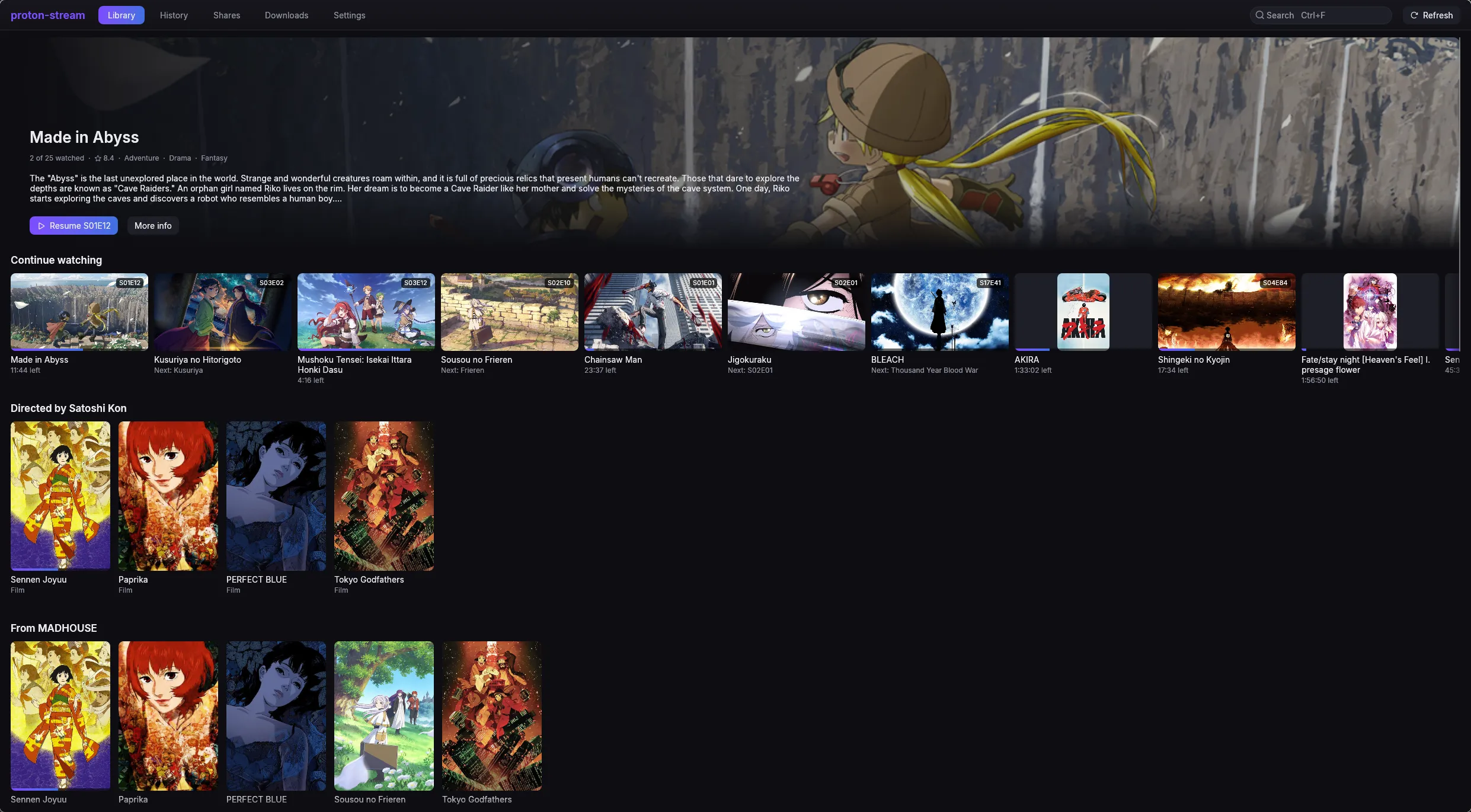
Seasons and episodes are read from folder and file names. Turn on AniList or TMDB for posters, synopses and shelves such as Directed by, with each franchise folded into one tile.
Resume on any device
Sign in, and your place in every episode, your shares and your settings sync through your own Proton Drive. Each device writes its own file, so none overwrites another.
Share links or your own Drive
Paste a public share link, with its password if it has one, or pick folders from your own Drive. Any number of them merge into one library.
A player that knows anime
HEVC 10-bit, HDR and ASS subtitles through libmpv. Skip openings and endings by chapter, an Up next countdown, subtitle files beside the video, and the dialogue track over signs and songs.
Downloads for offline
Keep an episode, a season or a whole show on the device and play it without a connection, on desktop and mobile. Android waits for Wi-Fi unless you say otherwise.
New episodes, noticed
When a show gains episodes, Android and iOS send a notification, and the desktop app tells you while its window is in the background.
Yours to theme
A near-black default, four Catppuccin flavours and Persona 5, each with nine accents. Full keyboard control on the desktop, and a remote on Android TV.
Screenshots
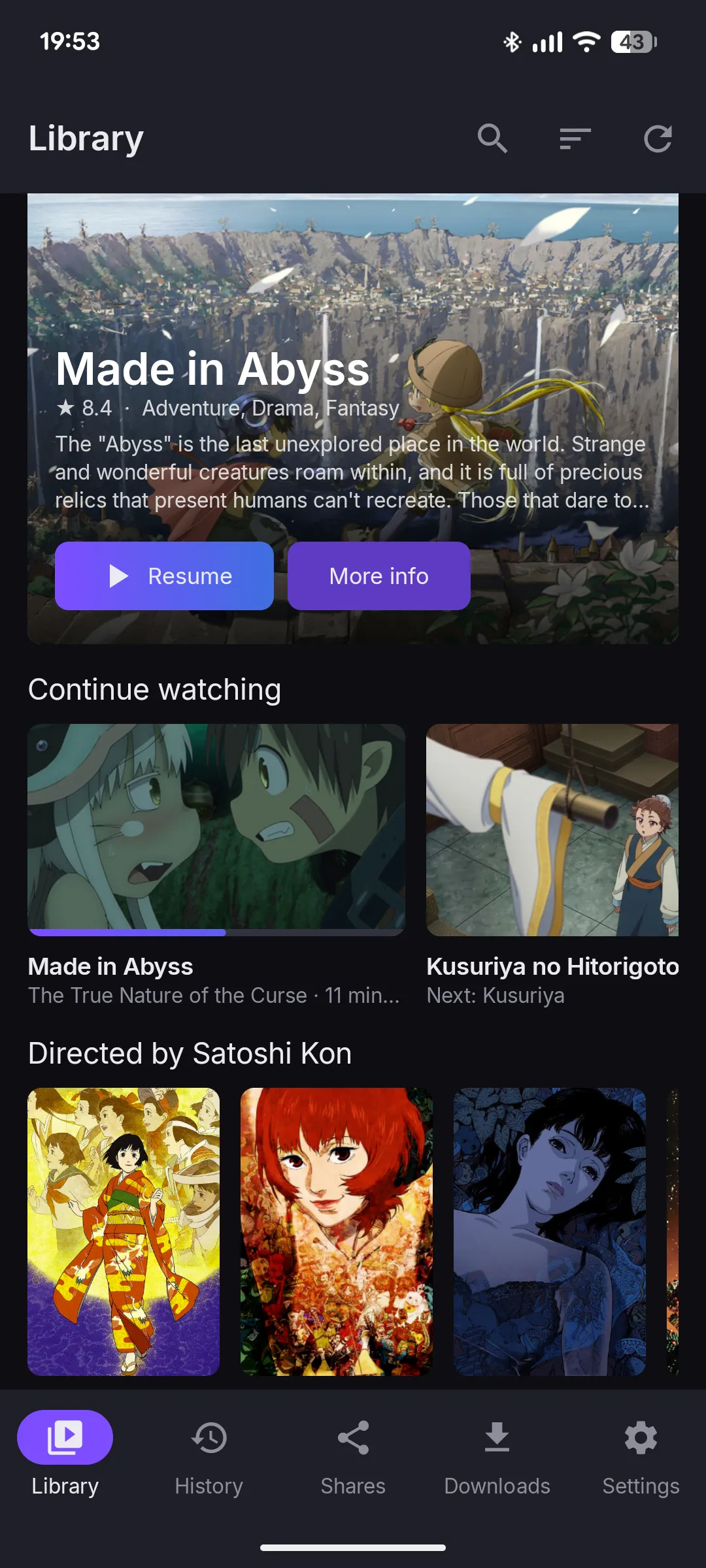
One library, every screen
The same library on the desktop and on a phone.
Desktop: Continue watching and shelves
Desktop: the whole library, filtered and sorted
Android: home
Android: all titles
Android: a title page
Android: episodes and downloads
How it works
Why seeking is instant
Proton Drive stores a file as blocks, and every block is its own encrypted packet. A jump to minute 20 fetches and decrypts the blocks at minute 20, not the 19 minutes before them. libmpv reads them through an in-process callback and draws into the app’s own window.
- to the first frame
- 2.3 s
- to play again after a seek
- 1.5 s
- from the disk cache, no network
- 0.3 s
Measured on a 761 MiB, 26-minute 1080p HEVC episode over a password-protected link.
No local web server
The player is fed through an in-process stream callback. There is no port another program could ask for the decrypted video.
A cache you control
Decrypted blocks are kept on disk, 4 GiB by default, so watching again needs no network. Size it or empty it in Settings.
Built on proton-sdk-rs
A pure-Rust Proton Drive SDK by the same author does the cryptography and the API calls. The app adds the library and the player.
Install
Install
Every release has packages for Linux and Windows, an APK for Android and an IPA for iOS.
Download the .deb from the latest release, then:
sudo apt install ./proton-stream_*_amd64.debDownload the .rpm from the latest release, then:
sudo dnf install ./proton-stream-*.x86_64.rpmThe PKGBUILD in the repository builds the checkout it sits in:
git clone https://github.com/narrrl/proton-stream.gitcd proton-stream/packagingmakepkg -siDownload the .msi installer or the portable .zip from the latest release. The installer adds a Start menu entry and puts pstr on the PATH. The binaries are not code-signed yet, so SmartScreen may warn the first time.
Download proton-stream-…-android.apk from the latest release and open it to install. It needs Android 12 or newer, and also shows up in the Android TV launcher.
Download the unsigned .ipa from the latest release and install it with SideStore or AltStore, which sign it with your own Apple ID. It needs iOS 17 or newer.
Then open Proton Stream, paste a share link on the Shares page, and the library fills in as the share is read. Signing in to Proton is optional: it adds folders of your own Drive and keeps your place in sync.
Linux needs libmpv 2 and WebKitGTK 4.1, plus a keyring such as GNOME Keyring or KWallet. Windows needs x64. Android needs an arm64 or x86_64 device.
Open source, built in the open
proton-stream is a hobby project. Bug reports and ideas are welcome.
Documentation
Getting started, the user guide, the FAQ and troubleshooting.
Report a bug
Something broken or confusing? Open an issue on GitHub.
Privacy
What goes where: Proton, the keyring, the cache, and a metadata provider only if you ask.
More Proton tools
Proton Drive for Linux, and the Rust SDK both apps are built on.